
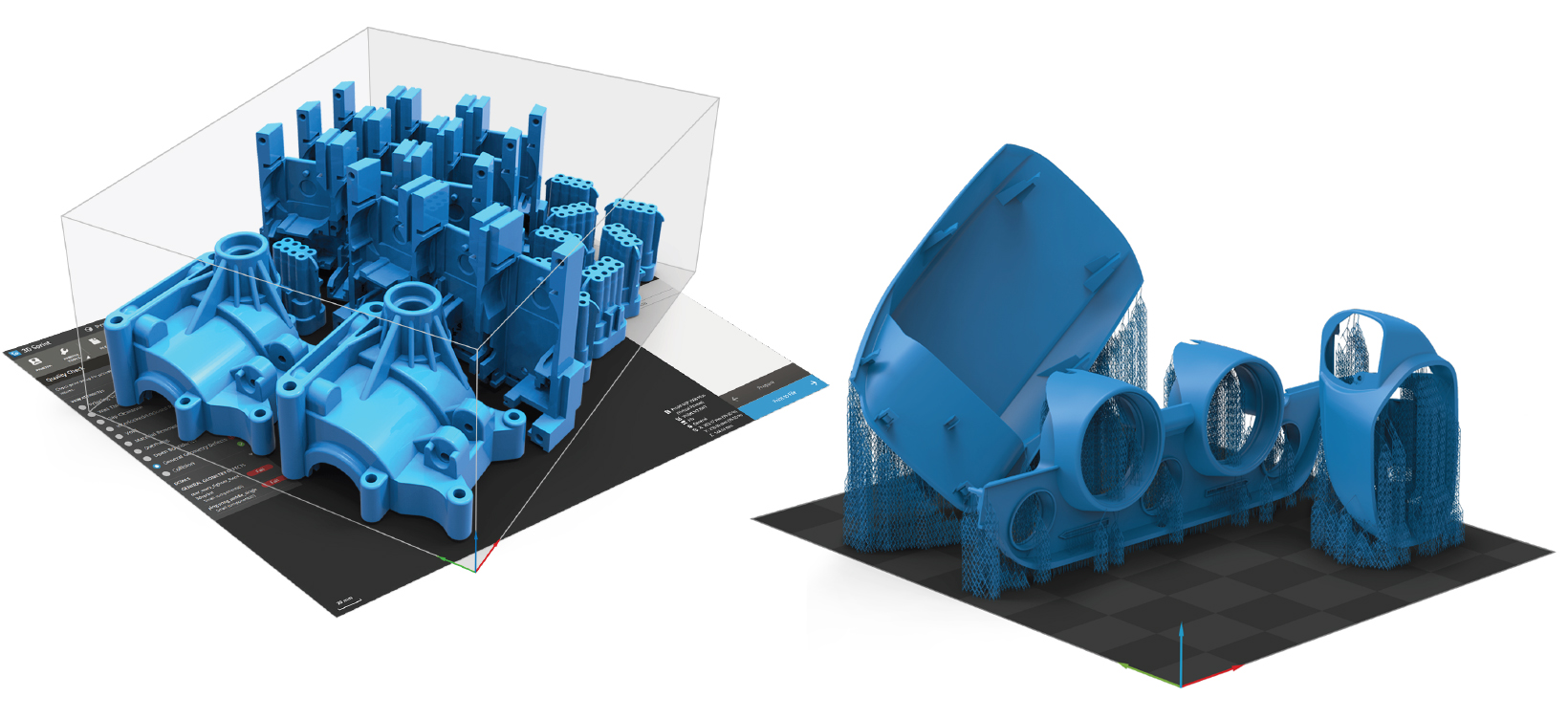
3D Sprint® is exclusive software from 3D Systems for preparing and optimizing CAD and polygon data and managing the additive manufacturing (AM) process for 3D Systems plastic 3D printers, including color-jet printing (CJP), digital light processing, multi-jet printing (MJP), stereolithography (SLA), and selective laser sintering (SLS). Delivered with every supported plastic printer from 3D Systems and offering direct and virtual machine support for a wide range of legacy systems, 3D Sprint delivers tools that allow you to 3D print better parts.
Directly import native CAD files from industry-leading CAD systems, which greatly reduces the need for file repair and fixing, shortens the file preparation time, and facilitates the design-to-print process.
Achieve better surface quality for printed parts that are easier to remove using less material and post processing with automatic, intelligent, finely-tuned support generation and optimized preset profiles accompanied by a full range of structure and anchor point extraction parameters.
Automatically analyze part geometry; correct errors for translation issues in your CAD or STL design files and bad polygon geometry in 3D scans; and select, edit, and delete polygons and intelligently fill holes and gaps in your polygon data with manual polygon editing tools.
Achieve accurate and powerful slicing and accurate build time and material estimates. Submit print jobs directly from your print workspace or load 3D Sprint build files created on another system directly to the printer. Manage your directly-connected printer or get visibility for all networked or shared printers to control job priorities with queue management tools.
Save custom placement styles and optimize the printer volume for maximum efficiency and productivity with comprehensive auto placement including requirement-driven orientation, dense 3D nesting, and automatic pre-printing quality checking.

3D Sprint Basic complimentary licenses are included with all new purchases of specific 3D Systems plastic 3D printers. 3D Sprint also offers direct and virtual machine support for a wide range of legacy systems. View the full list of supported printers in the 3D Sprint brochure. You can upgrade 3D Sprint Basic complimentary online activation licenses to offline, network, dark site, 3D Sprint PRO subscription, or purchase additional licenses for your printer. Licenses are available for the following editions:
“3D Sprint is intuitive and easy to use. I was able to figure it out before anyone even had time to show me, and we were able to train our intern on it in no time at all.”